
 Phone:
  Email:
  WhatsApp:
 Description
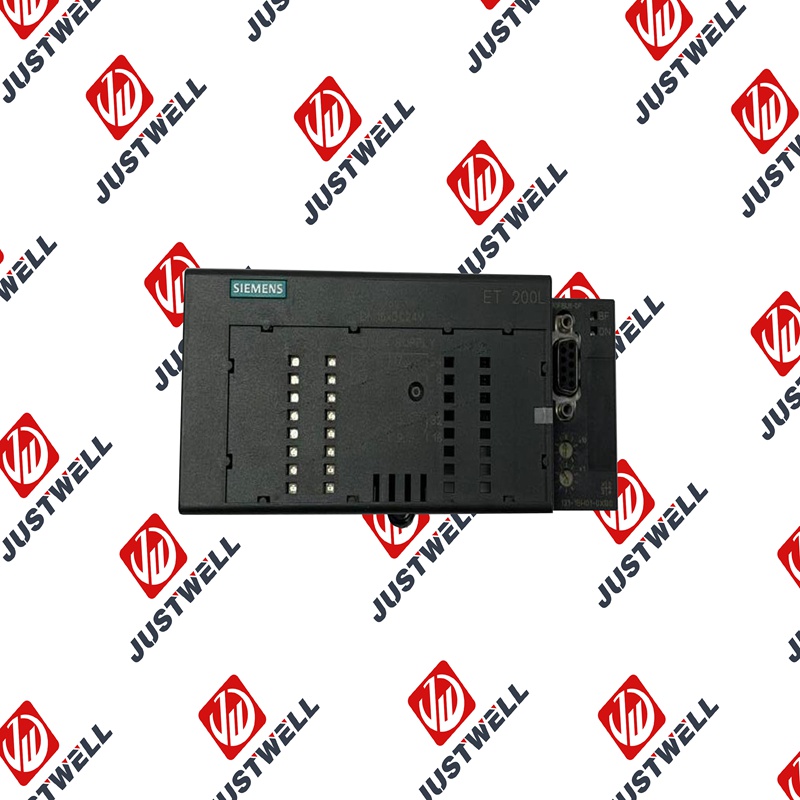
B3Q460 SIEMENS Simulation output module
Product Dimensions:
Product Description
The Simulation Output Module is essentially a standard output module (digital or analog) with an added feature: a manual override capability.
Key functional aspects include:
- Manual Control: It features physical controls (e.g., switches, rotary dials, pushbuttons, or integrated display interfaces) that allow the user to manually set the output status of each channel.
- Program Overrule: When the simulation function is active, the manual setting overrides the value commanded by the PLC control program. This allows a downstream device (e.g., a solenoid valve, motor starter, or current loop receiver) to be tested without running the full automation sequence.
- Status Indication: It typically includes LEDs or an integrated display to clearly indicate the current simulation state (active/inactive) and the manually set output value.
- Safety Interlocks: The simulation function is usually protected by a physical key switch or a software-based authorization sequence to prevent accidental activation during normal operation.
Product Parameters
Typical parameters for these specialized output modules include:
- Output Type: Whether the module provides Digital Outputs (DO) (e.g., $24 text{V DC}$) or Analog Outputs (AO) (e.g., $0-10 text{V}$ or $4-20 text{ mA}$).
- Channel Count: The number of independent output channels available on the module (e.g., 8 or 16 channels).
- Resolution (for AO): The precision of the analog output signal (e.g., 12-bit or 16-bit resolution).
- Operating Voltage: The required supply voltage for the module and the output load (typically $24 text{V DC}$).
- Current/Power Rating: Maximum output current per channel and total current for the module.
- Switching Frequency (for DO): The maximum rate at which the digital outputs can be switched.
- Diagnostics: Integrated functions for diagnosing short circuits, wire breaks, and overload conditions.
Product Advantages
Simulation Output Modules offer significant benefits during the project lifecycle:
- Rapid Commissioning: Allows field devices (actuators, drives, final control elements) to be quickly checked and wired immediately after installation, often before the PLC program is finalized or running.
- Program and Logic Testing: Enables comprehensive testing of the control program’s logic. By manually setting an output via the module, engineers can observe how the program reacts to the forced state.
- Fault Isolation: Greatly simplifies troubleshooting. If a downstream device doesn’t respond, the module can be used to manually force the signal, confirming whether the fault lies in the module, the wiring, or the device itself.
- Minimized Downtime: Speeds up maintenance and device replacement by allowing quick functionality checks on new components.
- Safety during Testing: The clear indication of the simulation state and the controlled manual override mechanism ensures that testing is conducted safely and systematically.
Precautions and Notes
Due to their nature as override tools, specific precautions must be taken:
- Deactivate After Use: Crucially, the simulation function must be deactivated (e.g., by removing the key switch or clearing the software lock) immediately after testing is complete to return control to the automation program.
- Risk of Unintended Operation: If left active, the manual setting can override the safety logic of the PLC program, potentially leading to dangerous or damaging machine movements.
- Qualified Personnel: Only appropriately trained and authorized personnel should be granted access to activate and utilize the simulation function.
- System Documentation: Ensure that the activation and deactivation of simulation modes are properly documented in the shift handover or test log.
- Adherence to Safety Standards: When conducting tests, ensure all procedures comply with local machine safety regulations and standards.
Product Applications
The primary use of Simulation Output Modules is in non-permanent, temporary operational stages:
- Factory Acceptance Testing (FAT) / Site Acceptance Testing (SAT): Testing the full I/O functionality and basic wiring integrity before or during system acceptance.
- System Commissioning: Used to drive individual actuators to check direction, limits, and proper functionality upon installation.
- Program Debugging and Logic Verification: Manually setting output states to verify the corresponding reaction in the PLC program logic or HMI visualization.
- Troubleshooting and Maintenance: Isolating the source of a fault (e.g., checking if the output channel is functional or if the issue is in the field device/wiring).
- Operator Training: Simulating various output states to train personnel on system behavior and fault recognition without affecting live production.
Shipping Port: Xiamen, China
Payment: Bank of Chicago, Bank of Singapore
Express cooperation: fedex, DHL, UPS and your express account
Service: Professional Sales provides 24 hours /7 days online service
Please make an inquiry for more models:
| 6GK5206-1BC10-2AA3 | SIEMENS | 6SE6400-0AP00-0AA1 | SIEMENS |
| 6ES7193-0CB20-0XA0 | SIEMENS | 6XV1840-3AH10 60m | SIEMENS |
| 6ES7323-1BH01-0AA0 | SIEMENS | QMX2.P33 | SIEMENS |
| 16137-175 | SIEMENS | PXC100-E96A | SIEMENS |
| 6GK443-1EX30-0XE1 | SIEMENS | 5SX2102-7 | SIEMENS |
| 6EP3331-6SB00-0AY0 | SIEMENS | 3ZX1012-ORTO2-1AA1 | SIEMENS |
| PXC50-E.D | SIEMENS | 6ES7151-1BA02-0AB0 | SIEMENS |
| 6AV2124-0QC24-1AX0 | SIEMENS | 6FX2001-6AA12-2AA5- 1 | SIEMENS |
| 6SL31201TE285AA3 | SIEMENS | 6ES7195-7HB00-0XA0 | SIEMENS |
| 6SL31622BM000AA0 | SIEMENS | 6SL34202TE150AA1 | SIEMENS |
| 6SE7972-0CB20-0XA0 | SIEMENS | 6SL3053-0AA00-3AA1 | SIEMENS |
| 3RX9307-1AA00 | SIEMENS | 6AV2124-0JC01-0AX0-ZA01+S00 | SIEMENS |
| 3RK1903-3AC00 | SIEMENS | QRA75.A17 | SIEMENS |
| 6GK5992-1AG00-8AA0 | SIEMENS | 3RT1054-1AT36 | SIEMENS |
| 6GK5980-3CB00-0AA1 | SIEMENS | 7MF4033-1DA10-1AC6-Z | SIEMENS |
| 6AG4141-0BA34-0EA0 | SIEMENS | 6AV8100-1CB00-0AA1 | SIEMENS |
| 5SU1324-7FA06 | SIEMENS | 3VL1705-1DA33-0AB1 | SIEMENS |
| 6SE7011-5EP50-Z | SIEMENS | 6SA8252-0BC83 | SIEMENS |
| 6DR2803-8P | SIEMENS | 6SN1124-1AB00-0HA1 | SIEMENS |
| FK-6DR4004-8J | SIEMENS | AK1703ACP | SIEMENS |
| 6SL3210 -1SE31-0UA0 | SIEMENS | 6SL3225-0BH27-5AA1 | SIEMENS |
| 6AV6645-0DE01-0AX1 | SIEMENS | 3TY7530-0A | SIEMENS |
| 6XV1870-8AN30 | SIEMENS | 3UG4512-1AR20 | SIEMENS |
| 3SE5132-0CJ82 | SIEMENS | 7SJ8021-5EB90-1FA0/DD | SIEMENS |
| 3RT1046-1BB44 + 3RH1921-1HA22 | SIEMENS | 3RH2911-1HA02 | SIEMENS |
| 3TF4522-0XM0 | SIEMENS | 6ES7288-1CR40-0AA0 | SIEMENS |
| 6AV2128-3UB06-0AX1 | SIEMENS | 6SE7090-0XX84-3EH0 | SIEMENS |
| 6SL3220-3YE30-0UF0 | SIEMENS | 6ES7135-0HF01-0XB0 | SIEMENS |
| 6SL3220-1YE34-0UF0 | SIEMENS | 6AG1134-4GB01-2AB0 | SIEMENS |
| TXM1.4D3R | SIEMENS | 6SC6508-4AA02 | SIEMENS |
| TXM1.6R | SIEMENS | 6SL3130-7TE25-5AA3 | SIEMENS |
| PXC4.E16 | SIEMENS | 8PQ9142-2AA04 | SIEMENS |
| QBM3120 | SIEMENS | 6ES7-214-1BD23-0XB8 | SIEMENS |
| TXS1-EF10 | SIEMENS | PXG80-N | SIEMENS |
| 6AG1231-4HD32-4XB0 | SIEMENS | 6GK51011BB002AA3 | SIEMENS |
| QVE1901 | SIEMENS | 6AG1137-6AA00-2BA0 | SIEMENS |
| QPA1004 | SIEMENS | 6EP1334-1AL11 | SIEMENS |
| GLB161.1E | SIEMENS | 6FX8002-2DC10-1EA0 | SIEMENS |